
A well-designed website is not just about aesthetics; it plays a crucial role in influencing user behavior and improving conversions. UX (User Experience) and UI (User Interface) design directly impact how visitors interact with your website, affecting engagement, retention, and ultimately conversion rates. In this article, we will explore the key strategies to enhance website conversion through effective UX/UI design.
Understanding UX and UI Design
User Experience (UX) focuses on the overall feel of the website, ensuring smooth navigation, ease of use, and intuitive interactions. A strong UX design prioritizes user needs and removes friction points that could discourage engagement.
User Interface (UI) involves the visual and interactive elements of a website, such as typography, colors, buttons, and layouts. A well-crafted UI ensures that users can seamlessly interact with the website while maintaining an appealing aesthetic.
Key UX/UI Strategies to Boost Website Conversions
1. Simplify Navigation
One of the most common reasons users leave a website is due to confusing navigation. To improve conversions, implement:
- A clear and structured menu.
- A logical flow between pages.
- A search bar for quick access to information.
- Breadcrumb navigation to help users track their location.
2. Optimize Website Speed
Page load time significantly impacts user retention and conversions. Studies show that even a one-second delay can lead to a substantial drop in engagement. To enhance speed:
- Compress images and videos.
- Minimize HTTP requests.
- Enable browser caching.
- Use a Content Delivery Network (CDN).
3. Implement Responsive Design
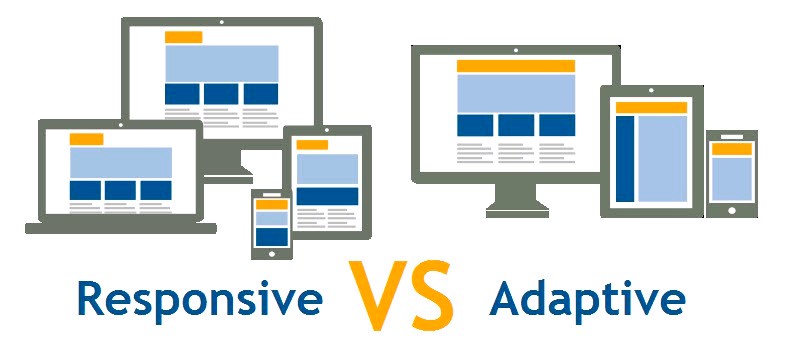
With a growing number of users accessing websites via mobile devices, having a mobile-friendly design is crucial. Ensure that your website:
- Adapts to various screen sizes.
- Has touch-friendly buttons and navigation.
- Loads quickly on mobile networks. How to become a Python expert in 6 months, read more here.
4. Use Clear Call-to-Action (CTA) Buttons
A well-placed CTA guides users toward desired actions, such as signing up for a newsletter or making a purchase. Best practices include:
- Using contrasting colors for CTAs.
- Placing CTAs above the fold.
- Using action-driven language (e.g., “Get Started Now”).
5. Improve Readability and Visual Hierarchy
Users scan rather than read web pages. To ensure effective communication:
- Use legible fonts and appropriate font sizes.
- Maintain sufficient contrast between text and background.
- Organize content with headings, bullet points, and whitespace.
6. Leverage Trust Signals
Building trust is crucial for conversions. Consider adding:
- Customer testimonials and reviews.
- Security badges and certifications.
- Transparent pricing and policies.
7. Utilize A/B Testing
A/B testing helps determine what works best for your audience. Test different versions of landing pages, CTAs, and layouts to identify which design elements drive the most conversions.
Enhancing UX/UI design is a powerful strategy to increase website conversions. By simplifying navigation, optimizing speed, implementing responsive design, and incorporating effective CTAs, businesses can create an engaging and conversion-focused website. Investing in UX/UI improvements leads to higher user satisfaction and ultimately boosts sales and engagement.
For more insights on UX/UI best practices, visit Wikipedia’s UX Design Page.